Canvas-1

今天在选择题中碰到了canvas的题目,于是想来补一补相关的知识

Canvas的使用

1
2
3
<body>
<canvas width="500px" height="500px">您的浏览器版本过低,请升级浏览器或使用Chrome</canvas>
</body>

如何居中?

1
2
3
4
5
6
canvas{
margin:0 auto;
display:block;
border:2px solid red;
}
//canvas是一个行内元素

画直线

1
2
3
4
5
6
7
8
9
10
11
12
13
14
15
16
17
18
19
20
21
22
23
24
25
26
27
28
29
30
31
32
33
34
35
36
37
38
39
40
41
42
43
44
45
46
47
<!DOCTYPE html>
<html lang="en">
<head>
<meta charset="UTF-8">
<meta http-equiv="X-UA-Compatible" content="IE=edge">
<meta name="viewport" content="width=device-width, initial-scale=1.0">
<title>Document</title>
<style>
canvas{
border: 1px solid red;
display: block;
margin: 0 auto;
}
</style>
</head>
<body>
<canvas width="500px" height="500px" id="canvas"></canvas>
<!--
1. 获取画布
2. 获取画布的上下文
3. 开始一条路径
4. 确定起始点
5. 确定结束点
6. 着色
7. 结束路径
8. -->
<script>
//获取canvas标签
let canvas = document.getElementById('canvas');
//获取上下文对象
let c = canvas.getContext('2d');
//开启一条路径
c.beginPath();
//确定起始点
c.moveTo(100,100);
//到哪去,确定结束点
c.lineTo(200,200);
//在上色之前设置颜色和线宽
c.strokeStyle = 'blue';
c.lineWidth = 10
//进行上色
c.stroke();
//关闭路径
c.closePath();
</script>
</body>
</html>

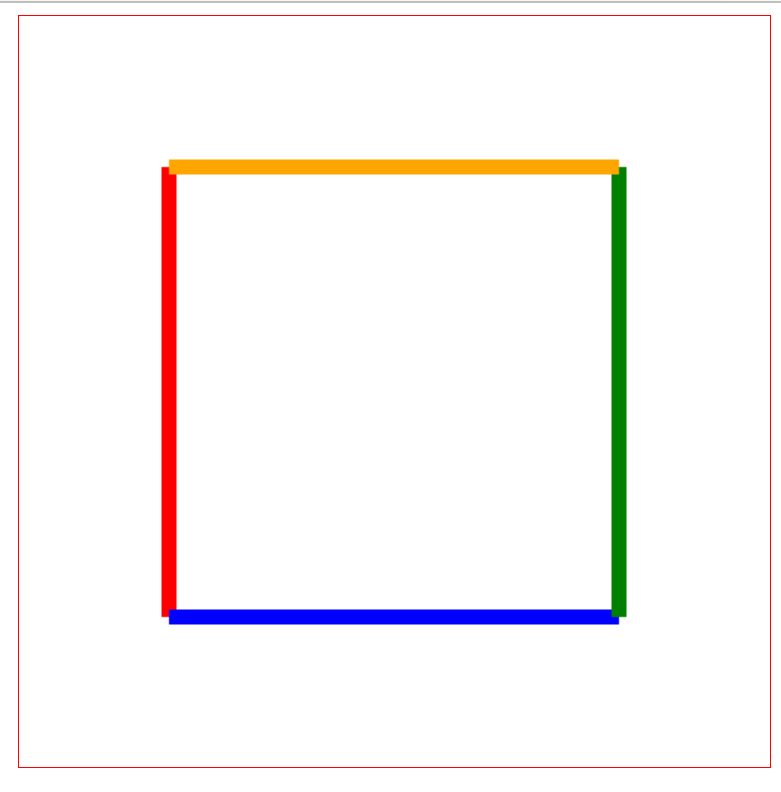
封装画彩线

canvas中有许多相同的操作,我们可以将其封装传入起点、终点、颜色、线宽起到减少代码的作用

1
2
3
4
5
6
7
8
9
10
11
12
13
14
15
16
17
18
19
20
21
22
23
24
25
26
27
28
29
30
31
32
33
34
35
36
37
38
39
40
41
42
43
44
45
46
47
48
49
<!DOCTYPE html>
<html lang="en">
<head>
<meta charset="UTF-8">
<meta http-equiv="X-UA-Compatible" content="IE=edge">
<meta name="viewport" content="width=device-width, initial-scale=1.0">
<title>Document</title>
<style>
canvas{
border: 1px solid red;
display: block;
margin: 0 auto;
}
</style>
</head>
<body>
<canvas width="500px" height="500px" id="canvas"></canvas>
<script>
//获取canvas标签
let canvas = document.getElementById('canvas');
//获取上下文对象
let c = canvas.getContext('2d');
drawLine(100,100,400,100,'red',10);
drawLine(400,100,400,400,'blue',10);
drawLine(400,400,100,400,'green',10);
drawLine(100,400,100,100,'orange',10);

/**
* @description:
* @param {*} x1
* @param {*} x2
* @param {*} y1
* @param {*} y2
* @param {*} color
* @param {*} width
* @return {*}
*/
function drawLine(x1,x2,y1,y2,color,width){
c.beginPath();
c.moveTo(x1,y1);
c.lineTo(x2,y2);
c.strokeStyle = color;
c.lineWidth = width;
c.stroke();
c.closePath();
}
</script>
</body>
</html>

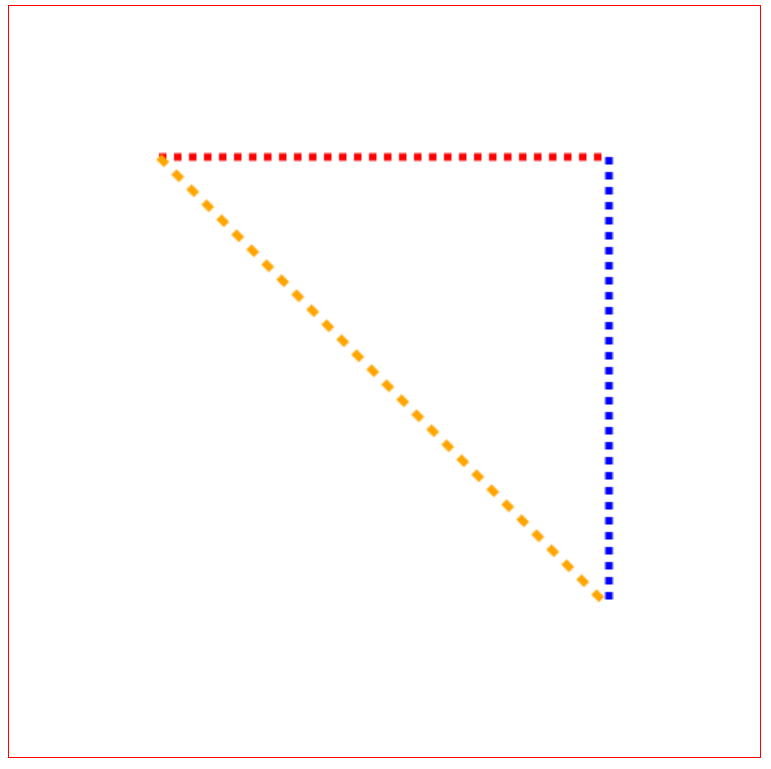
封装使用

也可以选择持续lineTo来画线,对于虚线,也是同样的思路,可以看成是许多段实线一起组成

1
2
3
4
5
6
7
8
9
10
11
12
13
14
15
16
17
18
19
20
21
22
23
24
25
26
27
28
29
30
31
32
33
34
35
36
37
38
39
40
41
42
43
44
45
46
47
48
49
50
51
52
53
54
55
56
57
58
59
<!--
* @Author: CQJ
* @Date: 2022-04-04 16:00:57
* @LastEditTime: 2022-04-04 19:39:42
* @LastEditors: CQJ
* @Description:
* @FilePath: \test\show.html
* 练习用
-->
<!DOCTYPE html>
<html lang="en">
<head>
<meta charset="UTF-8">
<meta http-equiv="X-UA-Compatible" content="IE=edge">
<meta name="viewport" content="width=device-width, initial-scale=1.0">
<title>Document</title>
<style>
canvas{
border: 1px solid red;
display: block;
margin: 0 auto;
}
</style>
</head>
<body>
<canvas width="500px" height="500px" id="canvas"></canvas>
<script>
//获取canvas标签
let canvas = document.getElementById('canvas');
//获取上下文对象
let c = canvas.getContext('2d');
for(let i=0;i<30;i++){
drawLine(100+10*i,105+10*i,100,100,'red',5);
// drawLine(110,100,115,100,'red',10)
drawLine(400,400,100+10*i,105+10*i,'blue',5);
drawLine(100+10*i,105+10*i,100+10*i,105+10*i,'orange',5);
}
/**
* @description:
* @param {*} x1
* @param {*} x2
* @param {*} y1
* @param {*} y2
* @param {*} color
* @param {*} width
* @return {*}
*/
function drawLine(x1,x2,y1,y2,color,width){
c.beginPath();
c.moveTo(x1,y1);
c.lineTo(x2,y2);
c.strokeStyle = color;
c.lineWidth = width;
c.stroke();
c.closePath();
}
</script>
</body>
</html>

虚线

画矩形

1
2
3
4
5
6
7
8
9
10
11
12
13
14
15
16
17
18
19
20
21
22
23
24
25
26
27
28
29
30
31
32
33
34
35
36
37
38
39
40
41
42
43
44
45
46
47
48
49
50
51
52
53
54
55
56
57
58
59
60
61
62
63
64
65
66
67
68
<!DOCTYPE html>
<html lang="en">
<head>
<meta charset="UTF-8">
<meta http-equiv="X-UA-Compatible" content="IE=edge">
<meta name="viewport" content="width=device-width, initial-scale=1.0">
<title>Document</title>
<style>
canvas{
border: 1px solid red;
display: block;
margin: 0 auto;
}
</style>
</head>
<body>
<canvas width="500px" height="500px" id="canvas"></canvas>
<script>
//获取canvas标签
let canvas = document.getElementById('canvas');
//获取上下文对象
let c = canvas.getContext('2d');
//建立坐标系
drawLine(100,100,100,400,'red',2);
drawLine(100,400,400,400,'red',2);
/**
* @description:
* @param {*} Xstart X轴上的起点位置
* @param {*} Ystart Y轴上的起点位置 从上往下排
* @param {*} width 柱状图的宽度
* @param {*} height 柱状图的高度
* @return {*}
*/
// c.fillRect = function(Xstart,Ystart,width,height){

// }


for(let i=0;i<7;i++){
//随机生成一个高度
let height = Math.random()*280+10 //[10,290)
//随机生成一个颜色
let color = '#'+parseInt((0xfff)*Math.random());
c.fillStyle = color;
c.fillRect(120+40*i,400-height,20,height);
}
/**
* @description:
* @param {*} x1
* @param {*} x2
* @param {*} y1
* @param {*} y2
* @param {*} color
* @param {*} width
* @return {*}
*/
function drawLine(x1,x2,y1,y2,color,width){
c.beginPath();
c.moveTo(x1,y1);
c.lineTo(x2,y2);
c.strokeStyle = color;
c.lineWidth = width;
c.stroke();
c.closePath();
}
</script>
</body>
</html>

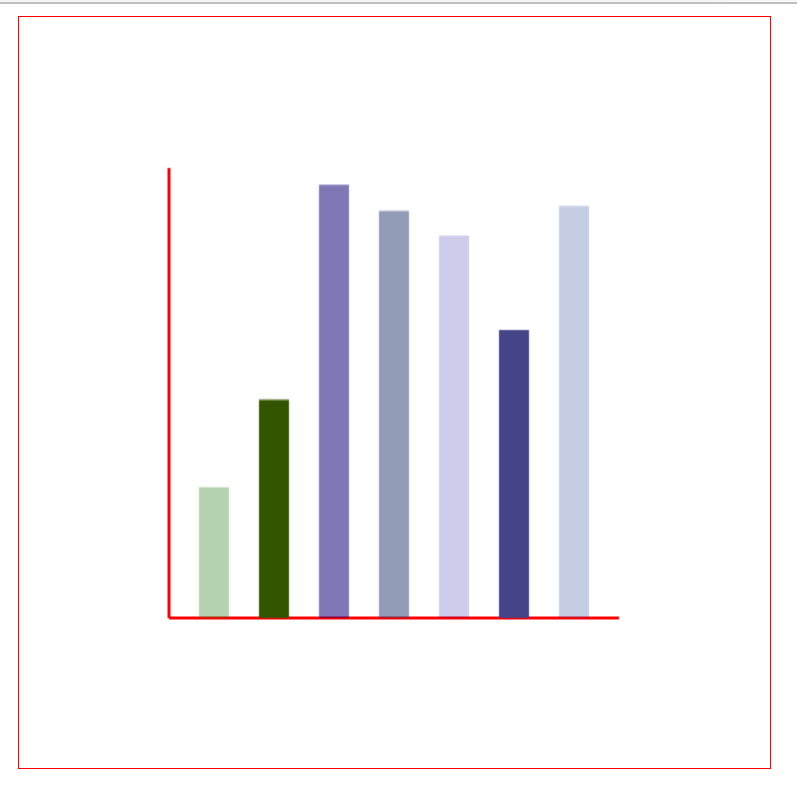
柱状统计图

清空给定矩形内的指定像素

1
2
3
4
5
6
7
8
/*
x:要清除矩阵左上角的x坐标
y:要清除矩阵左上角的y坐标
width:要清除矩阵的宽度,以像素计
height:要清除矩阵的高度,以像素计
*/
context.clearRect(x,y,width,height);

画⚪

1
2
3
4
5
6
7
8
9
10
11
 /**
* @description:
* @param {*} x 圆心的横坐标
* @param {*} y 圆心的纵坐标
* @param {*} r ⚪的半径
* @param {*} sAngle 开始的角度
* @param {*} eAngle 结束的角度
* @param {*} counterclockwise 顺时针或逆时针,false为顺时针,true为逆时针
* @return {*}
*/
context.arc(x,y,r,sAngle,eAngle,counterclockwise);
1
2
3
4
5
6
7
8
9
10
11
12
13
14
15
16
17
18
19
20
21
22
23
24
25
26
27
28
29
<!DOCTYPE html>
<html lang="en">
<head>
<meta charset="UTF-8">
<meta http-equiv="X-UA-Compatible" content="IE=edge">
<meta name="viewport" content="width=device-width, initial-scale=1.0">
<title>Document</title>
<style>
canvas{
border: 1px solid red;
display: block;
margin: 0 auto;
}
</style>
</head>
<body>
<canvas width="500px" height="500px" id="canvas"></canvas>
<script>
//获取canvas标签
let canvas = document.getElementById('canvas');
//获取上下文对象
let c = canvas.getContext('2d');
c.beginPath();
c.arc(100,75,50,0,0.1*Math.PI,true);
c.stroke();

</script>
</body>
</html>

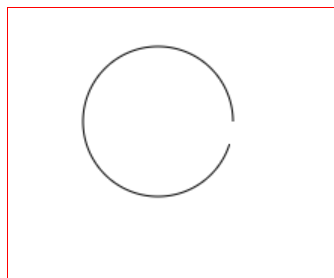
画⚪

需要注意:这里是18°,但是要求从0到18°,逆时针的指向,所以会画大半个⚪


Canvas-1
https://blog-theta-ten.vercel.app/2022/04/04/Canvas-1/
作者
Chen
发布于
2022年4月4日
许可协议